Registering with a Minute Mediator Session
Note: If you are the Session owner or have already registered with a Session you may be looking for our instructions on joining a Session.
There are 3 ways to register with a Session:
- If you have received an invitation via email, by clicking on the link in the email.
- If you have been invited to a Session, you should be able to view the Session in your pending invitations list.
- If you have not been invited to a Session by the owner but know the Session ID, you may enter it on the Join page.
Option 1: Click the link in the invitation email
If you received an email inviting you to a Session you can click the View Invitation button in the email and follow the steps in the next section
Option 2: Viewing and Responding to Session Invitations via the Dashboard
Note: You will not be able to respond to an invitation after the Session expires.
Open the Invitations List
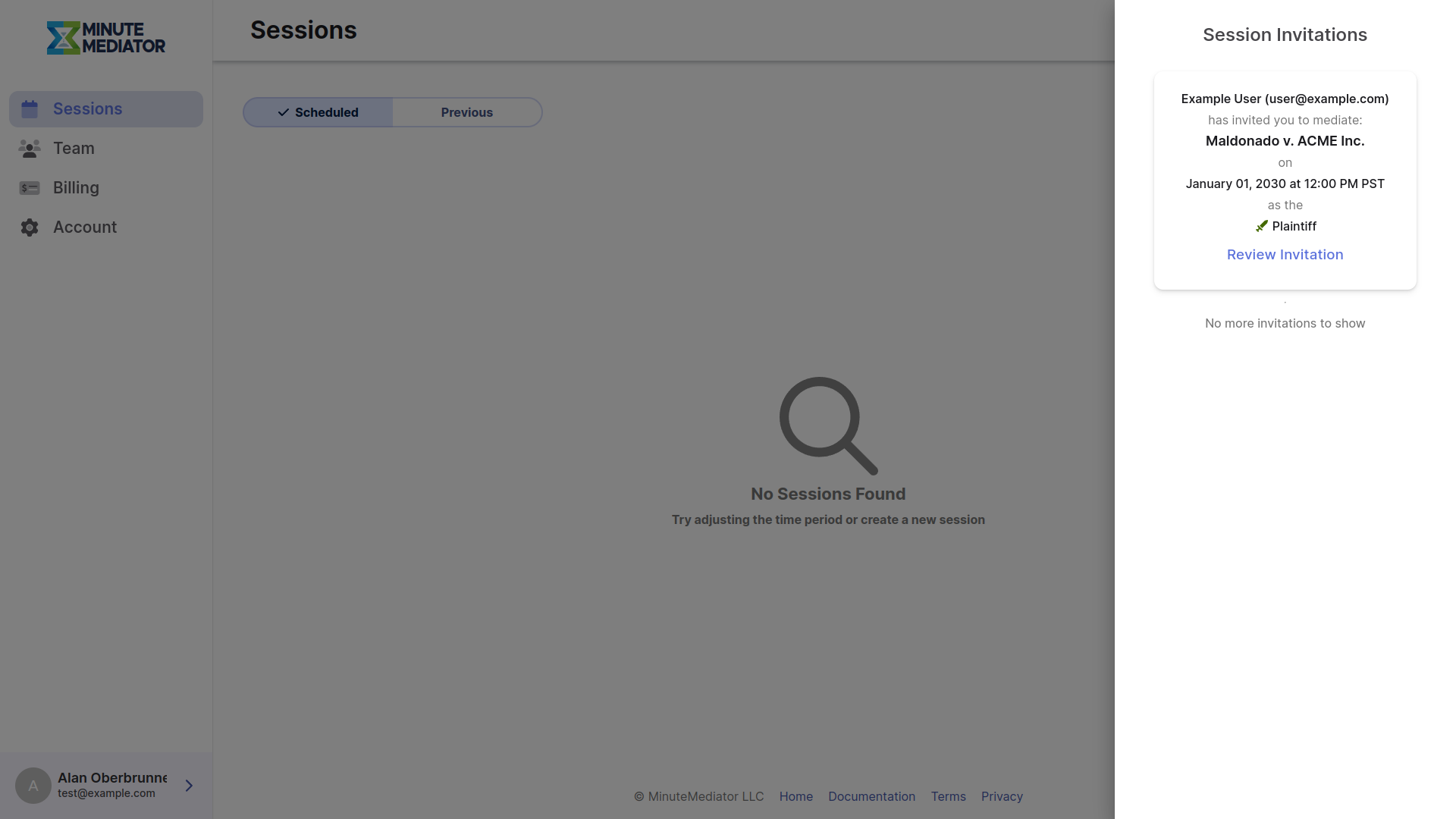
Click on the bell icon on the top right of the Dashboard page to view all your pending Session invitations.
Note: If you have any pending invitations you will see a number next to the bell icon indiciating the number pending invitations.
Select the invitation you would like to respond to by clicking the associated Review Invitation button.
Review Invitation
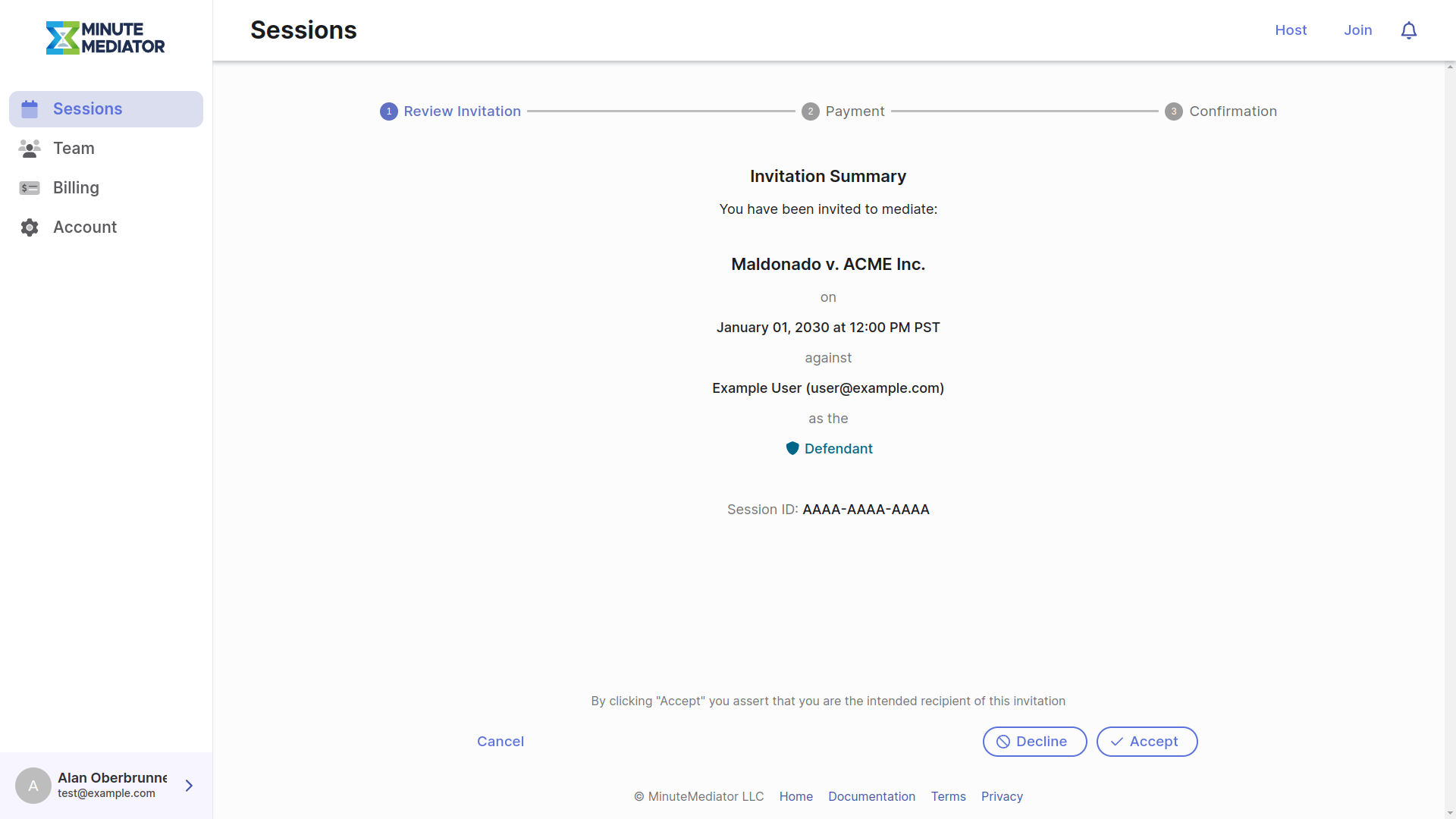
The invitation page will show you a summary of the Session you have been invited to. You may either Decline or Accept the invitation from this page.
Note: Leaving this page or clicking on Cancel will not affect your invitation.
Pending invitations will be listed in the invitations sidebar until they are either accepted, rejected, withdrawn or the Session expires.
Pay for the Session
Once you have accepted a Session invitation you will be taken to the payment step. See Session Creation - Payment for more information.
Option 3: Register using the Session ID
If for some reason the owner was unable to invite you to the Session directly, but has provided the ID of the Session you can register with the Session using the join page.
Go to the Session Join Page
From any page click on the Join button in the upper right of the screen. You will need a Minute Mediator account to view this page.
Enter the Session ID
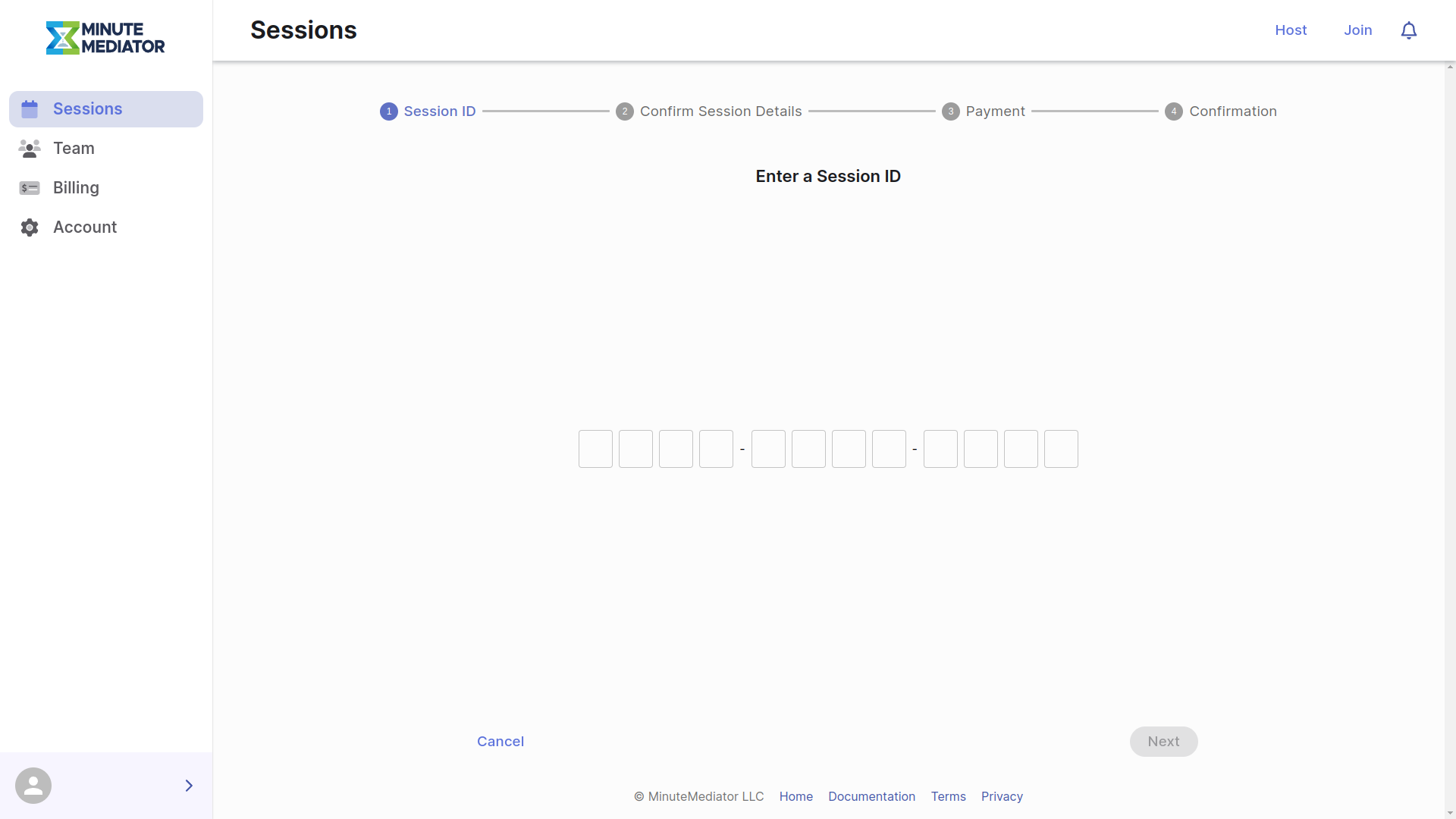
Enter your Session ID and click Next.
Note: If you enter an invalid Session ID, or another user has already registered or been invited to the Session you are trying to join, you will see an error. If you are already registered with the Session you will see a message with a link to view that Session.
Join the Session
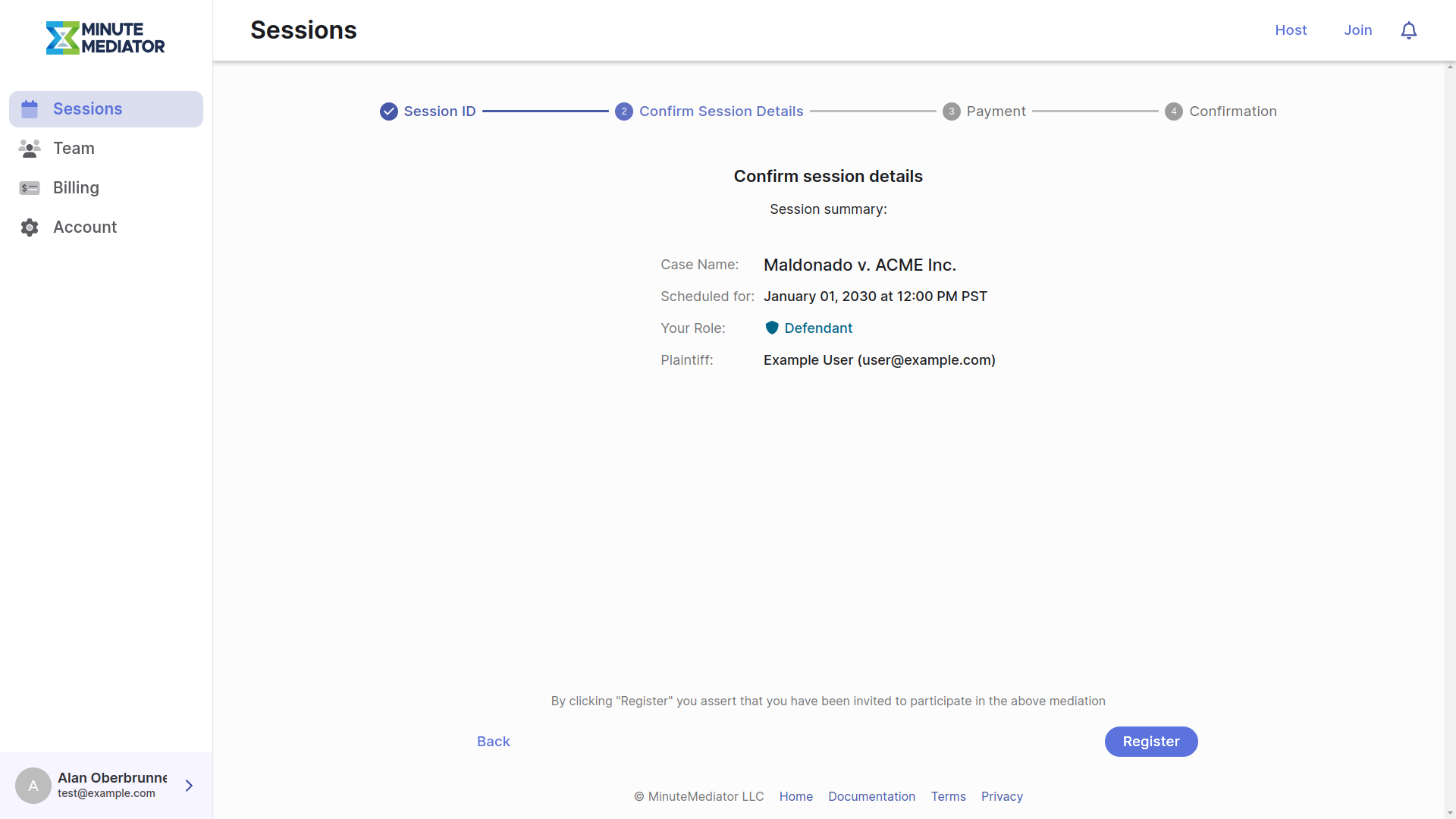
If the Session ID provided on the previous page was valid, you should see a summary of the associated Session.
If the Session information looks correct, click on the Register button to complete your registration with the Session.
Note: If you have an existing invitation to the Session entered in the last step, you will be taken to the invitation review page instead.
The rest of the process is almost identical to the steps described above.
See Also
Still have questions? Contact Us